Spotitanus for Android Auto: the secret app that adds music videos and karaoke to the car
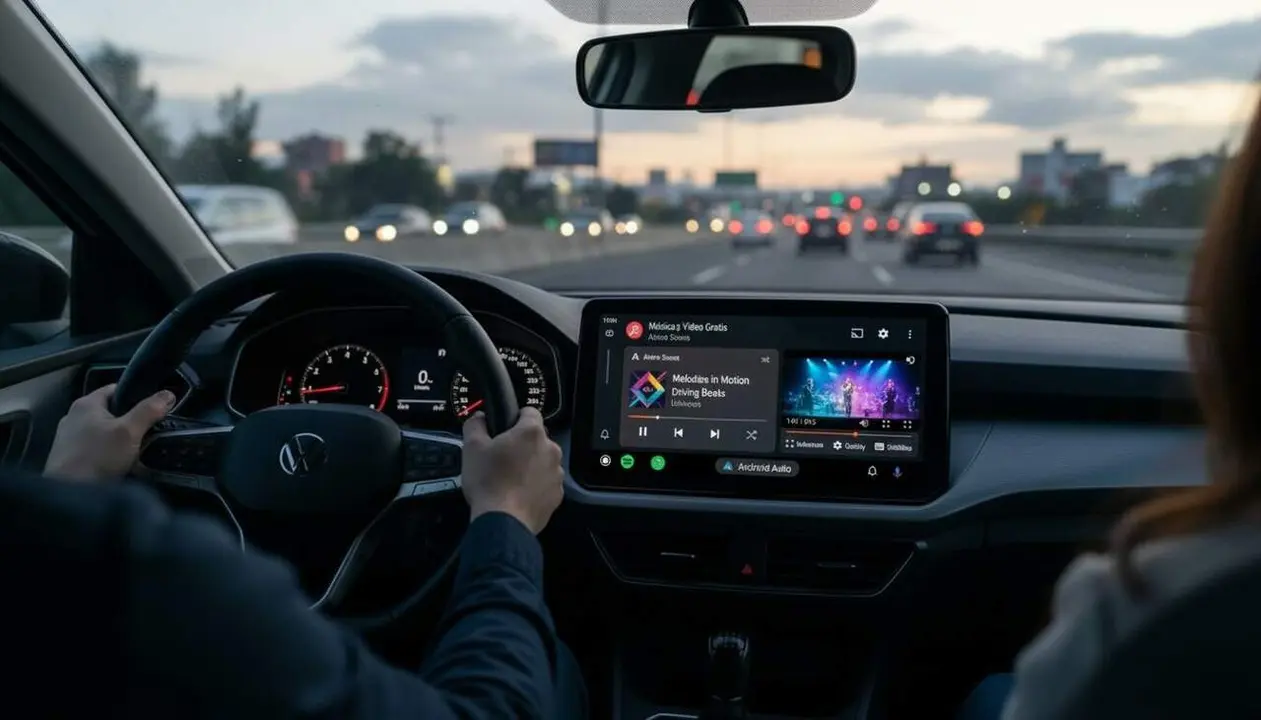

Yes: Spotitanus can play music videos on the Android Auto interface and adds real-time subtitles, karaoke, and dynamic backgrounds. I base all information on content provided by the developer and the GitHub repository mentioned in the source; current availability is via GitHub or APK repositories, not from the Play Store.
The main innovation is an app specifically designed for infotainment screens, compatible with steering wheel controls and an interface designed to reduce distraction. This first block introduces the solution and technical background before explaining how to activate it safely.
What Spotitanus brings to Android Auto
Why does this matter to the driver and passenger?
This functionality transforms the static music screen into a visual experience: music videos, subtitled lyrics, and synchronized animations. It is interesting for those who want more entertainment when the vehicle is stopped (making stops, waits, or trips with passengers), preserving safety through steering wheel controls.
What visual and usability advantages does it offer?
Spotitanus offers music videos, dynamic backgrounds that follow the rhythm, a customized playback bar, and different user accounts. The app is tailor-made for the car screen and is not a simple adaptation of a mobile app.
The interface was designed for use in vehicles.
Who benefits from Spotitanus
Who gains more: drivers or passengers?
The short answer: mainly passengers and drivers when stopped; the device is designed so the driver does not have to interact excessively with the screen. This benefits families, taxis, and vehicles with occupants who want to entertain themselves during brief stops.
Is it compatible with steering wheel controls?
Yes, according to the source, Spotitanus supports steering wheel controls to change songs or playlists without taking eyes off the road, which reduces the need for touch interaction.
An app focused on active safety and passive entertainment.
How to install and configure Spotitanus
Where to download Spotitanus?
The developer distributes the app from GitHub and copies can also be found in trusted APK repositories. It is not available on the Play Store according to the source; the developer has not confirmed plans to publish it on the official store.
How to enable videos, subtitles, and karaoke?
Before detailing steps: installing an app outside the store involves risks. Follow the instructions below with caution and verify the APK source.
- Open the repository on GitHub and download the official APK file available in the Releases section (if any).
- Transfer the APK to the Android phone or download it directly to the device you connect to Android Auto.
- On your phone, open Settings > Apps > Special Access > Install unknown apps and allow the app from which you downloaded the APK (only temporarily).
- Install the APK and open Spotitanus; in the app, enable Video Playback, Real-Time Subtitles, or Karaoke Mode from the internal settings menu.
- Connect the phone to Android Auto and check that Spotitanus appears as an option in the infotainment system.
Act carefully: check signatures and hash numbers when available in the repository.
How to ensure compatibility with the vehicle?
Verify that the infotainment screen accepts third-party apps and that steering wheel controls work with other players; this indicates Spotitanus will more likely function properly.
What limitations and risks should be considered?
Installing outside the Play Store may expose you to malicious software if the source is not reliable. Also consider local regulations about watching videos in the vehicle while driving; Spotitanus is designed for use when the vehicle is stopped.
Verification checklist
- Do you see the Spotitanus app in the list of Android Auto apps? — Indicator that installation worked.
- Does video playback only appear when the vehicle is stopped? — Safe if so.
- Do steering wheel controls change song or playlist? — Confirmation of compatibility with the infotainment system.
- Did you download the APK from the official GitHub repository or a trusted APK source? — Key to reduce malware risk.
If any box is not checked, do not consider the app entirely safe.
| Platform / Version | Affected | Available solution |
|---|---|---|
| Android Auto | Yes | Available via GitHub/APK |
| Play Store | No (not available) | Not applicable |
The table reflects status according to the source: distribution outside the official store.
Prevention and maintenance recommendations
Update Spotitanus only from the official repository on GitHub or verified APK sources. Keep the phone's operating system updated, enable two-factor authentication (2FA) on your main account, and periodically review app permissions. Back up before installing APKs and check signatures or hash sums the developer may have published.
Warning signs: installations requiring excessive permissions, downloads from unverified sites, or strange phone behavior (high battery consumption or connections to unknown servers). If you observe any of these symptoms, stop use and seek qualified technical assistance.
Expert advice: use Spotitanus only when the vehicle is stopped and configure karaoke mode and subtitles before starting to drive; this way you will enjoy the new experience without compromising safety.
The reality is that Spotitanus amplifies entertainment inside the car but requires a conscious choice between novelty and safety. Keep safety and the trusted source as priorities and you will enjoy music videos and on-screen lyrics without surprises.
Frequently Asked Questions
- How can I safely download Spotitanus?
- Download the APK from the official GitHub repository or recognized APK repositories. Verify signatures or hash sums if the developer publishes them.
- Does Spotitanus work while I drive?
- No: the app is meant to play videos and karaoke when the vehicle is stopped; the steering wheel controls limit the need for interaction while driving.
- Is it necessary to have a Spotify or YouTube account?
- According to the source, Spotitanus is an independent player with its own functions; the need for external accounts depends on the content and the features you want to use.