Ezviz EP4 Peephole: 4K and Local Facial Recognition That Almost No One Activates
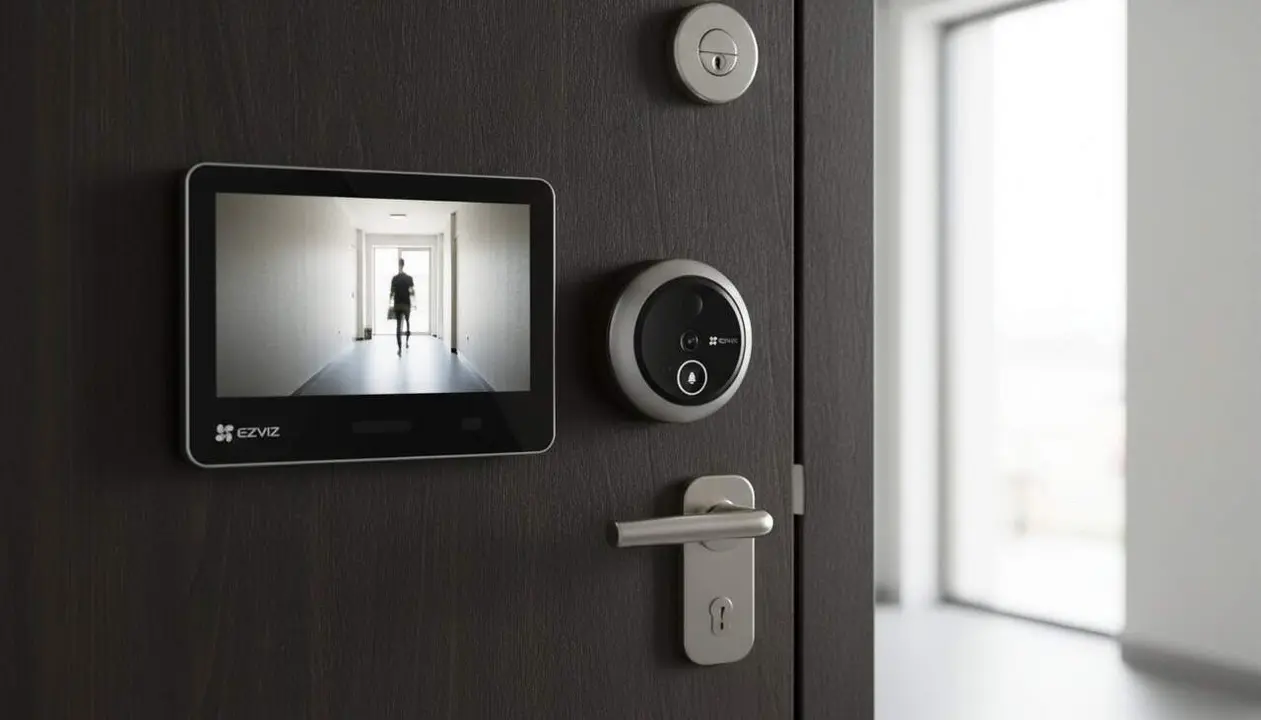

Yes: the Ezviz EP4 can give you 4K images and identify faces without paying monthly subscriptions. This piece summarizes the test published by José Manuel Nieves in ABC and explains in a practical way which functions to activate and why they matter.
The ABC test installed the unit for weeks and highlighted key elements: 4K sensor with 155° wide angle, WDR dynamic range, distortion correction and AI facial recognition, as well as the ability to darken up to four zones to protect neighborhood privacy. Below I explain step by step how to get the most out of these features (and what limits to keep in mind).
What it offers and why it interests you
Why does this matter to the reader? Because the front door stops being just a spot to look through: it becomes a control center that can confirm who is who before opening. If you live in a building with narrow hallways or illuminated doors, 4K definition and WDR improve identification and reduce false alarms.
What does the camera do better than a traditional peephole?
The EP4 offers 4K image and distortion correction so faces don’t appear distorted; this makes it easier to recognize visitors in backlighting situations, a direct improvement over the old optical peephole.
Who is it really useful for?
It is ideal for families, people who work from home, and homeowners with communal hallways; it provides more information before opening the door and preserves neighbors’ privacy through private image zones.
How to activate key functions
Why do you need to do it now? Correctly activating recognition and privacy zones avoids unnecessary notifications and ensures recordings comply with local community privacy regulations.
How to activate Facial Recognition and train the contact list?
Open the Ezviz app and create face profiles for family members; this way notifications are specific and not generic. This reduces false alarms and allows you to receive alerts like "Name has arrived home."
- Open the Ezviz app on your phone.
- Access the Ezviz EP4 device.
- In the Recognition or People section, select Add face and follow the instructions to train family faces.
How to configure Privacy Zones and local storage?
Limiting parts of the image avoids conflicts with neighbors and keeps recordings inside your home; enabling local storage prevents paying subscriptions if you prefer microSD.
- In the Ezviz app, go to the Ezviz EP4 device menu.
- Open Privacy or Privacy Zones and draw up to four areas to hide them in recordings.
- In the Storage section, select MicroSD and verify that the card (up to 512 GB) is recognized.
Validation and practical advice
Why check each point? Because a powerful device can fail if not configured properly: uncharged battery, wrong Wi‑Fi band, or poorly drawn privacy zones reduce actual effectiveness.
How to check that the EP4 works as it should?
Do a series of simple tests: check 4K sharpness, notification with name, and that private image zones darken in playback.
What technical limits should be remembered?
The EP4 only connects to 2.4 GHz Wi‑Fi networks (it does not support 5 GHz), the full charge of the 7,100 mAh battery can take 4–5 hours, and the unit accepts microSD cards up to 512 GB. These factors affect continuous use and installation.
Verification checklist
- 4K image visible in the app and on the indoor monitor.
- Notifications with assigned names after training faces.
- Privacy zones (up to 4) visible in playback.
- MicroSD detected and operational (up to 512 GB).
- Battery charged and autonomy according to use; beware of 4–5 hour charging time.
- Connectivity confirmed on 2.4 GHz.
Quick comparison table
| Model | Resolution | Local Storage | Mandatory Subscription |
|---|---|---|---|
| Ezviz EP4 | 4K | MicroSD up to 512 GB | No |
| Ring Doorview Cam | Up to 2K (standard) | Limited | Yes (Ring ecosystem) |
| Ezviz DP2C | Typical 1080p / 2K | Some models with microSD | Not always |
A practical note: if you value privacy and sharp images without monthly subscriptions, the EP4 is a solid option; if you prefer cheaper solutions or 5 GHz compatibility, you should look at alternatives.
Maintenance and prevention tips: keep the firmware updated via the app, enable two-factor authentication on the Ezviz account and periodically review access permissions. Make timely backups of important recordings and keep the microSD card moisture-proof when doing maintenance. If you detect strange behaviors (major image loss, constant connection drops or repeated wrong recognitions), consult specialized technical support.
Practical conclusion: the Ezviz EP4 combines 4K, local facial recognition and quota-free storage to turn the door into an effective control point. If you correctly configure privacy zones and train family faces, you will get useful notifications and fewer false positives. Now you know what to activate and how to check it.
Frequently Asked Questions
- Does the peephole need a subscription to record?
- No. The Ezviz EP4 allows local storage with microSD up to 512 GB, according to the ABC test, to avoid mandatory subscriptions.
- How do I protect neighbors’ privacy?
- Draw up to four private image zones in the app; these areas are darkened in recordings and playbacks.
- How long does the battery last and how long does it take to charge?
- The battery is 7,100 mAh and the company indicates several months of autonomy depending on use; a full charge can take between 4 and 5 hours.