How to watch YouTube videos on Android Auto: the secret almost nobody activates in the car
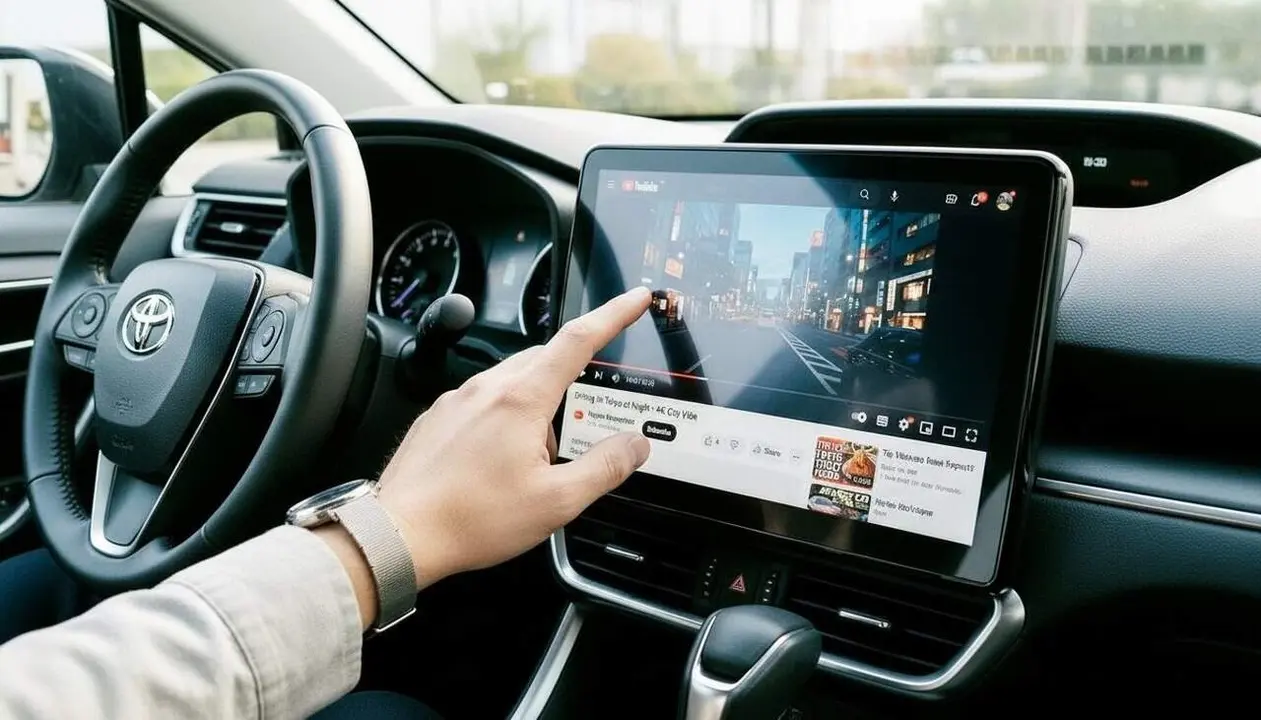

The new feature to watch YouTube on Android Auto is already rolling out to selected users, according to Android Police. Google has confirmed that the integration of YouTube will be done progressively and without requiring any manual configuration from the driver. This means that, when this option is available, the YouTube icon will appear automatically on the car screen.
The technical reason behind this limitation is clear: video playback is only allowed when the vehicle is stopped to avoid distractions while driving, and the maximum resolution is limited to 1080p at 60 fps to ensure a smooth streaming experience without overloading the connection or the device.
Requirements and limitations to watch YouTube on Android Auto
What technical requirements must be met to enable YouTube in the car?
The reality is that Google has not published a concrete list, but we know it is essential to have a smartphone with Android 16 or higher and to have the latest version of Android Auto installed. The vehicle must also be compatible with Android Auto, preferably with a wireless connection for a better experience.
To avoid issues, make sure both the car system and the phone are updated.
Why does it only work when the car is stopped?
Video playback is blocked while the vehicle is in motion to avoid distractions, an essential safety measure. When the car starts moving, YouTube automatically switches to audio-only mode, a function that maintains playback continuity without showing video.
This transition feature is exclusive to users with a YouTube Premium subscription, which is why it is a feature not everyone will be able to enjoy immediately.
How to activate and check for the presence of YouTube on Android Auto
How can I know if I already have YouTube available on my Android Auto?
Generally, no special action is needed; the app will automatically appear on the car screen when it is active for your device and region.
If you don’t see the icon, check that the requirements are met and that Android Auto and the vehicle’s system are updated.
What steps to follow to activate YouTube on Android Auto?
- Make sure your smartphone has Android 16 or higher.
- Update the Android Auto app to the latest available version.
- Connect the phone to the car via USB or wireless connection, depending on what the vehicle allows.
- On the car screen, check that the YouTube icon appears.
- Open the app and verify that videos can be played only when the car is stopped.
- If you have YouTube Premium, you will be able to enjoy the automatic audio mode when the car starts moving.
How to know if I am affected or not by the new YouTube feature on Android Auto
- Your car has an infotainment system with updated Android Auto.
- Your smartphone runs on Android 16 or a higher version.
- You have updated the Android Auto app to the latest available version.
- The YouTube icon appears on the screen when you connect the phone.
- You can play videos but only when the car is stopped.
- If these points are not met, you do not yet have access to the new feature.
| Platform / Version | Added | Solution available |
|---|---|---|
| Android 16 or higher | Yes | Android Auto update to latest version |
| Android 15 or lower | No | Not available |
To avoid problems, always keep the car system and the Android Auto app updated. It is also recommended to review permissions and set up the wireless connection if the vehicle supports it.
If you notice excessive battery consumption or the phone heats up more than usual, limit usage to wired connections or avoid prolonged playback sessions to prevent malfunctions.
If you detect constant errors or playback does not work correctly, it is advisable to consult a professional or the technical service of the vehicle or mobile manufacturer to verify compatibility and updates.
The reality is that this new Android Auto feature opens the door to a change in how we use the car for entertainment when we are stopped. With YouTube available on the car screen, the future of infotainment is changing. Moreover, other audiovisual services could take advantage of this new model to offer quality content while we wait, without jeopardizing safety or concentration at the wheel.