Galaxy Book6 14: amazing laptop with 25 h battery life and price from €849
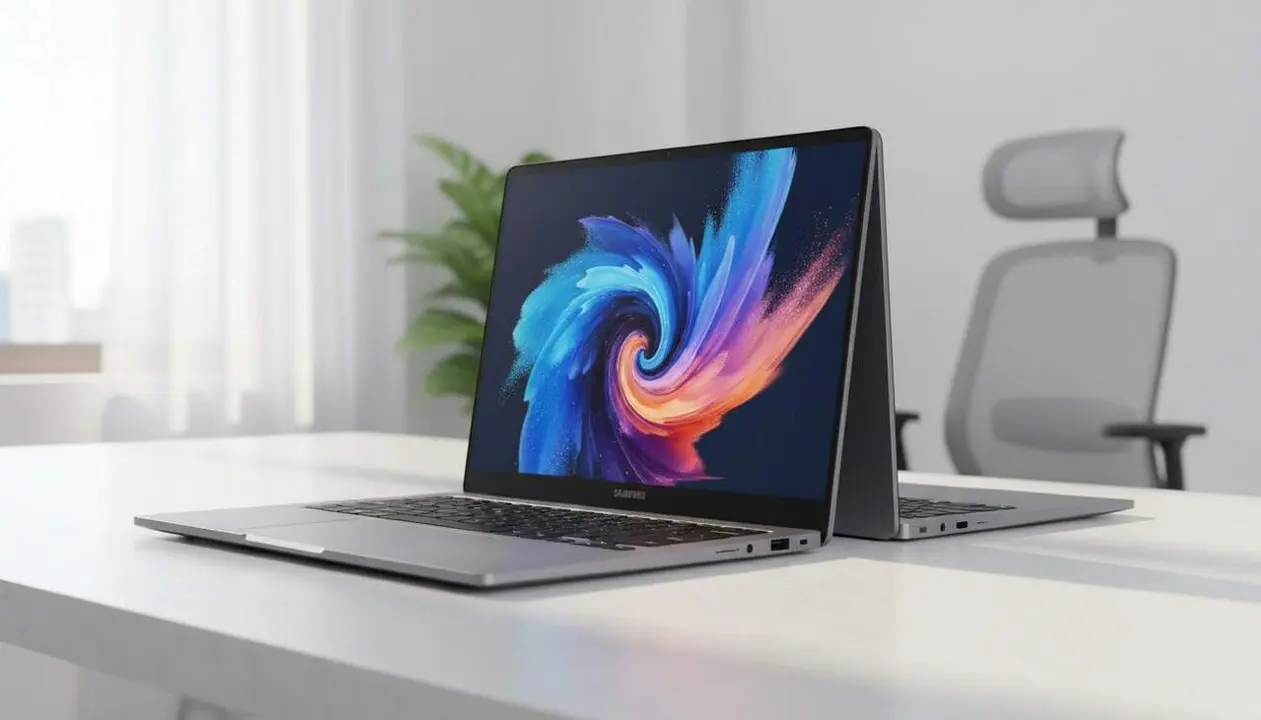

The 14-inch Galaxy Book6 stands out for its long battery life and a configuration designed for everyday use. A micro-story: you’re running to class, you only have 30 minutes, and the laptop regains a significant amount of power. That already changes the day.
The model positions itself as a cheaper alternative within the Book6 range, with a starting price of €849 and features that appeal to those who need portability without giving up key functions like physical ports and integrated artificial intelligence tools.
Source: article published in Omicrono (El Español) by Adrián Raya, with information provided about specifications, price, and availability in Spain.
What makes the 14-inch Galaxy Book6 different?
Why does this interest the reader? Because the combination of battery life, fast charging, and physical ports solves real mobility problems (limited working time, need to access HDMI or USB-A without adapters). Here I explain why.
Why does this long battery life matter?
The announced battery life of up to 25 hours means fewer decisions about where to charge. If you work outside the home or spend hours in class, this frees you. Yes: 25 hours is not just a number; it is autonomy for a full day and more.
The 25-hour figure, according to the source, changes how you plan your day. In practice, this means fewer charging checkpoints and more focus on work.
What about the screen and portability?
The 14-inch screen with a 16:10 aspect ratio offers more vertical visible surface, useful for documents and web pages. The weight of 1.35 kg and a thickness of 15.7 mm make it easy to carry (it will fit in a backpack without problems).
Micro sentence. Very practical. You can read more lines on the screen and therefore waste less time scrolling.
How does it benefit specific users?
Who is it really for? Students, traveling professionals, and users who want a balance between price and quality: this laptop prioritizes durability, connectivity, and tools that facilitate the daily workflow.
Who is it really for?
If you bring a computer to class, meetings, or cafes, it gives you more autonomy and less dependence on outlets. These are users who also value physical ports like HDMI and USB-A to present or connect peripherals without adapters.
It also stands out for a new color, Violet Silver, for those who want a distinctive touch without losing elegance.
Specific use scenarios
Presentations, remote work for hours, intensive studying, and light multimedia tasks (basic photo editing with AI functions). In short: a computer for everyday use that does not demand high-end equipment to work well.
- Starting price: €849 (according to the source).
- Weight: 1.35 kg; thickness: 15.7 mm.
- Battery: up to 25 hours with 45 W fast charging.
- Screen: 14 inches with 16:10 aspect ratio and anti-reflective treatment.
- Connections: two USB-C ports (same capacity), one USB-A, and one HDMI.
How to enable and check key functions?
Why is this important to know? Activating Samsung applications and verifying ports and charging lets you get the most out of the Book6 without surprises. Below are simple steps and checks based on official information.
How to activate AI functions?
Open Samsung’s preinstalled applications (for example, Quick Share and AI tools) and try functions like AI Selection and AI Cutout. This lets you extract text and remove photo backgrounds with a couple of clicks.
Basic step-by-step:
- Start Windows 11 and locate the Quick Share app in the applications menu.
- Open Quick Share to share files with nearby Samsung devices.
- Try the Shared Storage feature to access files without transferring them first.
- To use AI: look for the AI Selection or AI Cutout tool within Samsung apps and follow on-screen instructions.
- For summaries: open Notes Assistant and import or write notes to generate automatic summaries.
How to check connectivity and charging?
Physically inspect the ports: the two USB-C ports should have the same charging and transfer capacity; test a 45 W charger to confirm fast charging.
Quick test: connect a monitor via HDMI and a USB-A flash drive simultaneously (yes, it works without adapters). If everything responds, the setup is correct.
If you notice slow speeds or recognition problems, restart and check drivers in Windows Update.
Verification checklist
- Your model is 14 inches and weighs about 1.35 kg (sign that you have this version).
- The starting price matches €849 as a commercial indication.
- The battery lasts up to 25 hours according to the manufacturer’s specifications.
- You have two USB-C, one USB-A, and one HDMI physical ports.
- It comes with Windows 11 and Samsung apps like Quick Share and AI functions.
| Model / Version | Affected | Availability |
|---|---|---|
| Galaxy Book6 14 inches | Yes | Available in Spain (September) |
Additional notes: the 16:10 ratio and anti-reflective treatment are practical details that don’t always appear in budget models; here, they improve reading and outdoor use.
Small details that make the difference when you work outside the home.
As a market perspective (expert’s own assessment): Samsung has managed to pack key features into an affordable-priced laptop, reducing the need for adapters and increasing battery life. This makes it competitive against alternatives if you value mobility and physical connectivity.
Prevention and maintenance tips: keep Windows 11 updated, control Samsung app permissions, use certified 45 W chargers to preserve battery health, and make periodic backups. If you detect problems with the battery or ports, take the device to authorized service.
If you have doubts: seek professional help when there are hardware failures (unstable charging, ports not working) and avoid internal manipulations. And remember: the best experience comes from combining battery life, a good 16:10 screen, and reliable physical ports.
Final reflection: The 14-inch Galaxy Book6 offers a clear proposition: much longer battery life, manageable size, and real connections without giving up useful artificial intelligence tools for student and professional life. It’s worth considering if you value battery life, screen, and connectivity in an affordable package.
Frequently Asked Questions
- What real battery life can I expect with mixed use?
- The advertised figure is up to 25 hours according to Samsung; in mixed use (browsing, documents, streaming) the duration will be less, but still high compared to the average.
- Does the laptop include a 45 W charger?
- According to the information, the device supports 45 W fast charging via USB-C; check the charger included in the box to confirm if it is the same model.
- Is it possible to remove photo backgrounds without additional software?
- Samsung includes functions like AI Cutout to remove backgrounds from preinstalled apps; test the tool directly on the laptop.