POCO F9 Ultra: 6 keys that make the difference (185 Hz, Cooling, and Bose Sound)
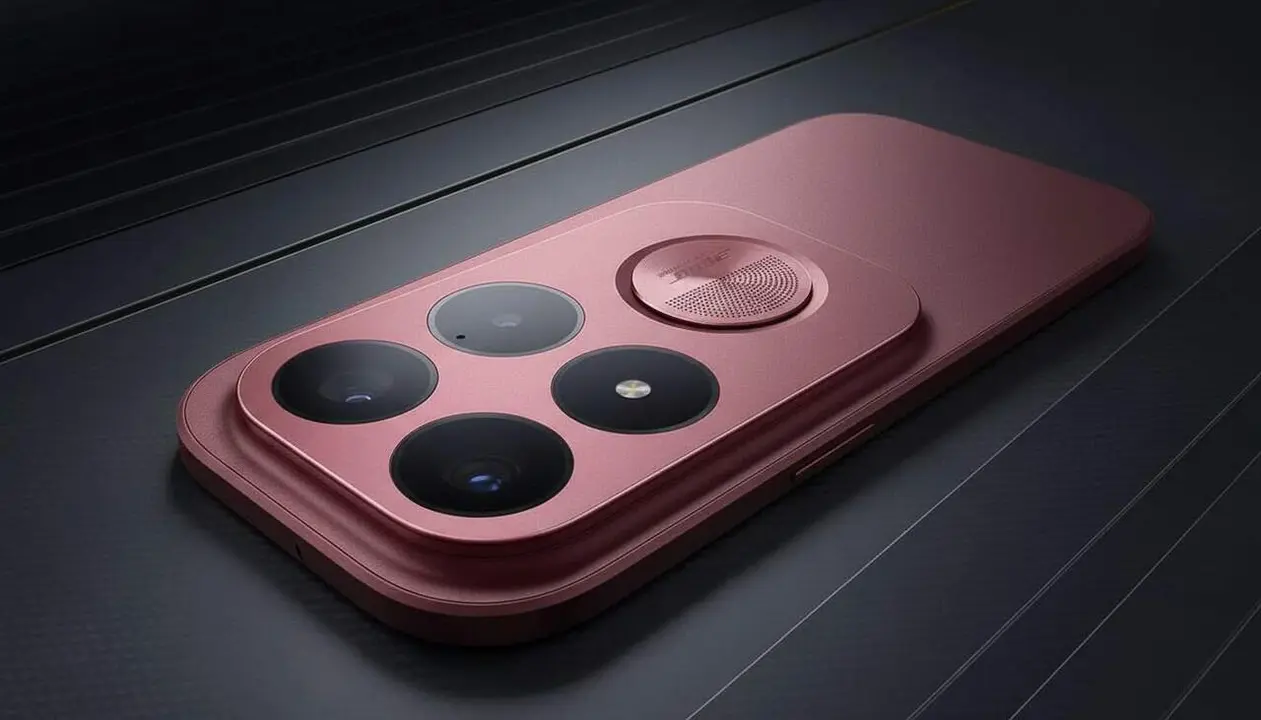

Yes: the POCO F9 Ultra combines a 185 Hz display, advanced cooling, and Sound by Bose audio for a more complete and sustained gaming experience. The first impression is clear: POCO prioritizes continuous performance over short bursts, and in practice this can make a difference in long sessions and in the sound perception of competitive titles.
A quick anecdote: many devices maintain performance only for a few minutes until the chip heats up; POCO says it has designed the F9 Ultra to avoid this drop (and yes, this alters the gaming feel). If you play for hours, you will notice the difference.
According to information provided by POCO and collected by Borja Rodríguez, the device bets on three key areas: LiquidCool cooling with LHP and graphite coverage, an AMOLED screen with 185 Hz and very fast touch functions, and a Sound by Bose 2.1 audio system with a dedicated woofer. The official presentation is scheduled for September 1, and data such as memory, storage, and price are still pending.
Performance and Cooling
Why does this matter to the reader? If you use your phone for long gaming sessions or demanding applications, a chip that maintains performance means more reliability and fewer frame drops, which directly affects your competitive experience.
What does the Cooling system include?
Short answer: A set called LiquidCool Technology that combines LHP, large graphite panels, and a three-dimensional structure over the chipset.
Specifically, POCO has detailed an LHP (Loop Heat Pipe) surface of 6,300 mm² and 17,820 mm² of graphite coverage, accompanied by a raised structure over the SoC to improve heat transfer. According to internal tests mentioned by the brand, this solution can reduce the SoC temperature by up to 3ºC under certain conditions, which helps maintain performance.
How does this affect gaming performance?
Short answer: Less thermal throttling and therefore longer periods of optimal performance and fewer FPS drops according to POCO.
POCO complements the cooling with WildBoost Optimization, a management layer that adapts resource scheduling according to the target frame rate and the game running. This means the system tries to balance consumption, temperature, and performance to reduce noticeable FPS drops during long sessions. A solution that seems designed for those who seek consistency, not just short bursts of performance.
Display and Playability
Why should you pay attention? The screen is the main interaction channel: more Hz and better touch response translate into more precise input and a smoothness feeling that can improve response in fast games.
Is the Display really 185 Hz?
Short answer: POCO claims an AMOLED panel with a 185 Hz refresh rate and optimizations to run games at 185 FPS natively.
The brand indicates it has optimized the system to natively run 24 games at 185 FPS, while other titles can reach 165 Hz. Source: official POCO information. Important: the specific list of compatible games has not been published, so we cannot confirm which exact titles support 185 FPS.
How to take advantage of the touch sampling and sampling frequency?
Short answer: The device includes touch sampling up to 480 Hz over ten points and instantaneous sampling up to 4,800 Hz, features that activate in game mode.
These figures mean touch response can be much more precise in high-demand scenes (multi-touches, quick reactions). POCO indicates that these options must be activated via Game Turbo mode for optimal gameplay. The brand has not detailed the exact menu path in the provided note, so activation may vary depending on the software version.
Sound by Bose 2.1 Audio
Why is it relevant? Sound is not just ambiance: in competitive games, localization and sound clarity can offer an advantage; in multimedia consumption, a better low range enhances immersion.
Why does a dedicated woofer matter in a smartphone?
Short answer: The woofer reinforces low frequencies, adding depth to sounds and better separation between instruments and effects.
POCO has integrated two symmetrical 1115D speakers and a dedicated 1620 woofer, configuring a 2.1 system uncommon in phones. The goal is to increase bass presence and expand the soundstage to offer a more stable stereo image, according to the collaboration with Bose.
Can it improve my competitive experience?
Short answer: Yes, according to POCO, the 2.1 setup should facilitate detecting relevant sound sources (footsteps, shots), especially in games where directionality matters.
The combination of a wider soundstage and a woofer for bass can help distinguish important details in competitive gaming. Additionally, POCO points out that the system also improves movie and music playback, expanding the F9 Ultra's appeal beyond gaming.
- Steps to test the features (source does not detail exact menu paths):
- Activate Game Turbo and select the high-performance profile (POCO specifies that this mode is required to access 185 Hz and touch sampling).
- In audio settings, check the Sound by Bose option or available audio profiles to activate the 2.1 setup (official note does not provide the exact path).
- Test with an optimized title and monitor temperature and FPS; POCO indicates optimizations for 24 games at 185 FPS but does not publish the complete list.
- Verification checklist (signs that it benefits you):
- Long gaming sessions show fewer FPS drops and less thermal throttling according to your observation.
- You see smoother touch response in multi-touch and quick reaction situations.
- You perceive more defined bass and a wider stereo image in multimedia playback.
| Feature | Affected | Available Information |
|---|---|---|
| 185 Hz Display | Yes | POCO claims 24 games at 185 FPS; game list not published |
| LiquidCool Cooling (LHP, graphite) | Yes | Temperature reduced by up to 3ºC according to POCO internal tests |
| Sound Sound by Bose 2.1 (woofer 1620) | Yes | 2.1 setup with two 1115D speakers and woofer; designed for gaming and multimedia |
Source limitations: the information comes from the note provided by POCO and collected from the cited coverage; no data on memory, storage, price, or complete list of optimized games is included. For this reason, some activation instructions have been described generally.
Additional tips and maintenance: keep the system updated when POCO releases firmware, enable account authentication in linked services, review app permissions, and make periodic backups; if you receive abnormal temperatures or persistent FPS drops, consult authorized technical service. Also periodically check battery and performance optimization options to preserve the device's lifespan.
The reality is that this POCO F9 Ultra aims to position itself as a powerful alternative for players who want a very fast display, cooling for long sessions, and sound with bass presence. If you value performance consistency and a more immersive sound experience, this phone deserves to be on your watch list before the official presentation.
Frequently Asked Questions
- Which games will run natively at 185 FPS?
- POCO indicates that 24 games have been optimized for 185 FPS, but the full list has not been published; the presentation must be awaited for the brand to confirm specific titles.
- How can I activate the high-frequency touch mode?
- According to POCO, you need to activate Game Turbo mode to access high touch sampling; the official note does not detail the exact path within system settings.
- Does the Bose 2.1 system really increase competitive advantage?
- POCO claims that the wider stereo image and woofer improve sound localization, which can help in competitive games; the impact depends on the title and individual listening.