Why does placing aluminum foil under the WiFi modem improve the connection?
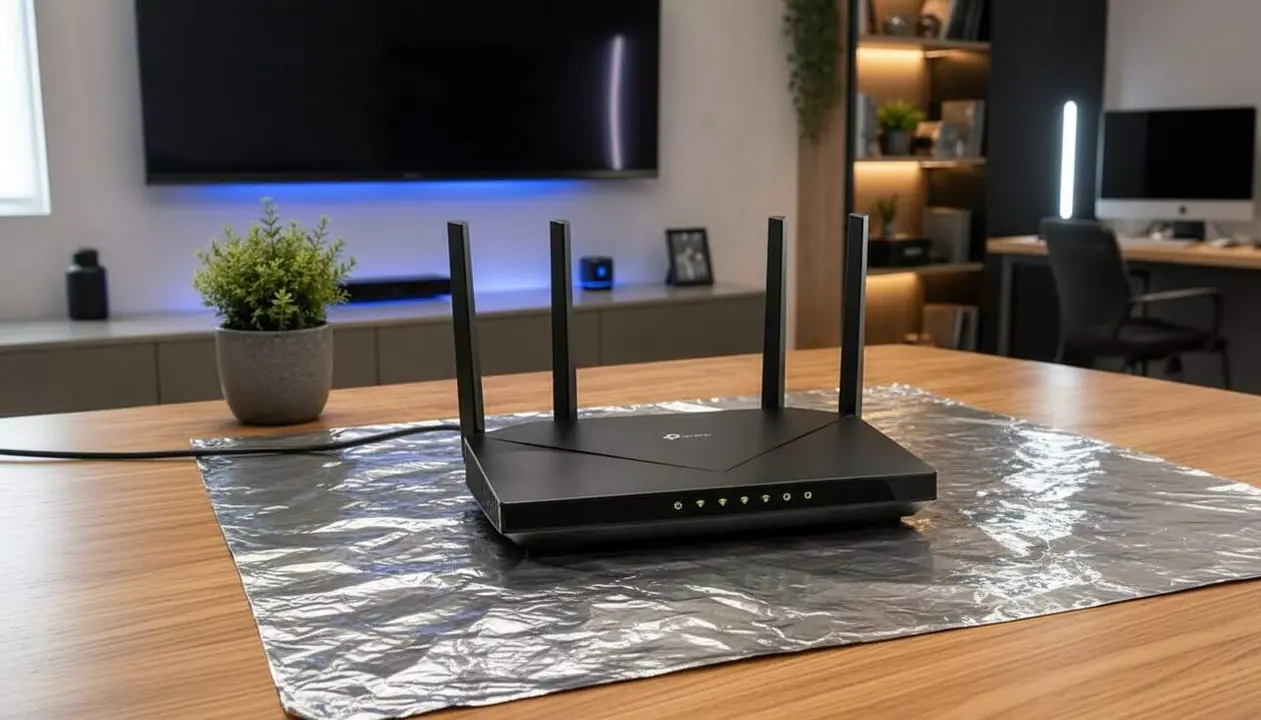

Placing aluminum foil under or behind the WiFi modem acts as a reflector that directs the signal to the area where you need the best coverage. This technique is based on the principle that WiFi waves, operating at frequencies of 2.4 GHz and 5 GHz, reflect off metallic surfaces like aluminum. Thus, the aluminum foil forms a sort of homemade parabolic antenna that concentrates the signal propagation, improving connection quality in specific areas.
The concept was confirmed by a Dartmouth University study in 2017, where customized reflectors were used to improve WiFi distribution, with gains of up to 50% in selected areas. In domestic use, this improvement is usually between 10% and 20%, depending on the space layout and materials surrounding the device.
How to do the aluminum foil trick on the WiFi modem?
What steps should you follow to apply it?
Does it sound complicated? Nothing could be further from the truth.
- Disconnect the modem or router to avoid any damage during handling.
- Cut a piece of aluminum foil approximately 20 x 30 centimeters.
- Give it a slightly curved shape, which will work as a reflector.
- Place this piece behind or under the modem, directing it toward the area where you want to boost coverage.
- Reconnect the modem and check the signal improvement from the device you use.
Considerations and risks to keep in mind
What limitations does this method have?
Not everything is magic: this trick concentrates the signal in a specific direction, which may cause other areas of the house to have worse coverage. Therefore, it is a complement, not a definitive solution.
Thick walls, the presence of other devices causing interference, and excessive distance from the router remain key factors that aluminum foil will not solve.
Can aluminum foil damage the modem?
Yes, if not done properly. Completely covering the device can trap heat and affect its performance and lifespan. Experts recommend using the foil only as a partial reflector, without wrapping the modem.
How to enhance the effect of aluminum foil?
What is the best modem location?
The strategic location of the modem is key. Placing it in a central spot, away from external walls and appliances, helps distribute the signal better and boosts the effect of the aluminum foil.
Why not replace aluminum foil with other solutions?
Aluminum foil is a low-cost, quick hack, but it does not replace more robust alternatives like repeaters, mesh systems, or professional WiFi configuration.
With an intelligent combination of location and homemade reflectors, you can notice a substantial improvement without making large investments.
- Check if this applies to you:
- The WiFi signal is weak in a specific room.
- The modem is located near an external wall or appliances.
- You have not used any device to improve coverage.
- You just want a quick and economical solution.
| Situation | Expected Improvement | Risk |
|---|---|---|
| House with thick walls and central modem | Improvement of 15-20% | Very distant areas may worsen |
| Modem completely wrapped with aluminum foil | No improvement; may damage the device | Overheating and premature failures |
| Modem in an inadequate area without reflector | Weak connection | Constant coverage problems |
Updating the modem firmware, enabling two-step authentication for security, periodically reviewing permissions of connected devices, and backing up configuration are essential to maintain a stable and secure network.
If you notice that the connection remains poor despite these adjustments, or that the modem overheats excessively, consult a professional to avoid greater damage or security issues.
The reality is that a simple piece of aluminum foil can improve your WiFi, but only if applied sensibly and combined with other good practices. Do not expect miracles, but do not rule out that such a simple detail can make a difference when you need it most.
Frequently Asked Questions
- Why does putting aluminum foil under the modem improve WiFi?
- The foil reflects electromagnetic waves, concentrating the signal toward a specific area and improving intensity.
- Can aluminum foil damage the modem?
- If you completely cover the device, it can trap heat and cause malfunction. It should only be used as a partial reflector.
- Is it a definitive solution for poor WiFi connection?
- No, it is a complement that helps temporarily. Structural problems like thick walls or interference require other measures.