Snapseed 4.0: the surprising return with smart editing and masks

Imagine returning to an app that seemed forgotten and finding a tool that changes the game. That is exactly what has happened with Snapseed 4.0, which arrives with a revamp that catches the attention of even the most demanding in mobile photography.
Google has revived this application and turned it into an essential ally for editing photos with precision and ease, thanks to new features that combine power and simplicity, and are available for free to everyone.
An interface designed for efficiency and comfort
Redesign that prioritizes space and agility
The first thing that stands out is the reorganization of tools. Now, the screen makes better use of space, avoiding fingers blocking key areas during editing. This allows the user to work without interruptions, moving smoothly between functions and adjustments.
The addition of a favorites bar facilitates quick access to the most used tools, like curves or selective correction. This adaptation responds to more modern gestures and movements, making editing as natural as taking a photo.
Key tools for professionals and enthusiasts
The new layout not only helps professionals who work with many images daily, but also users looking for a simple and quick retouch. The combination of functionality and simplicity makes Snapseed 4.0 a versatile resource, capable of adapting to different levels of skill.
Without complications, the app transforms into a natural extension of the creative process, helping to go from capture to the final result directly and without obstacles.
Non-destructive editing and advanced photo management
Total control with editable history
One of the most anticipated novelties is non-destructive editing. Each change is saved in an editable way, without deleting the previous adjustments. This means you can go back at any moment and modify any parameter without losing prior work.
This system allows better management of the creative process and avoids having to repeat steps, a time saver that professionals particularly value.
Batch editing to optimize time
The new history structure makes it possible to apply the same adjustments to several images at once. This functionality automates repetitive tasks and maintains consistency across entire galleries, which is a great advantage for those who work with large volumes.
Snapseed 4.0 thus brings the experience closer to that of desktop tools, while retaining the lightness and accessibility typical of mobile.
Artificial intelligence at the service of precision and naturalness
Smart masks that facilitate local editing
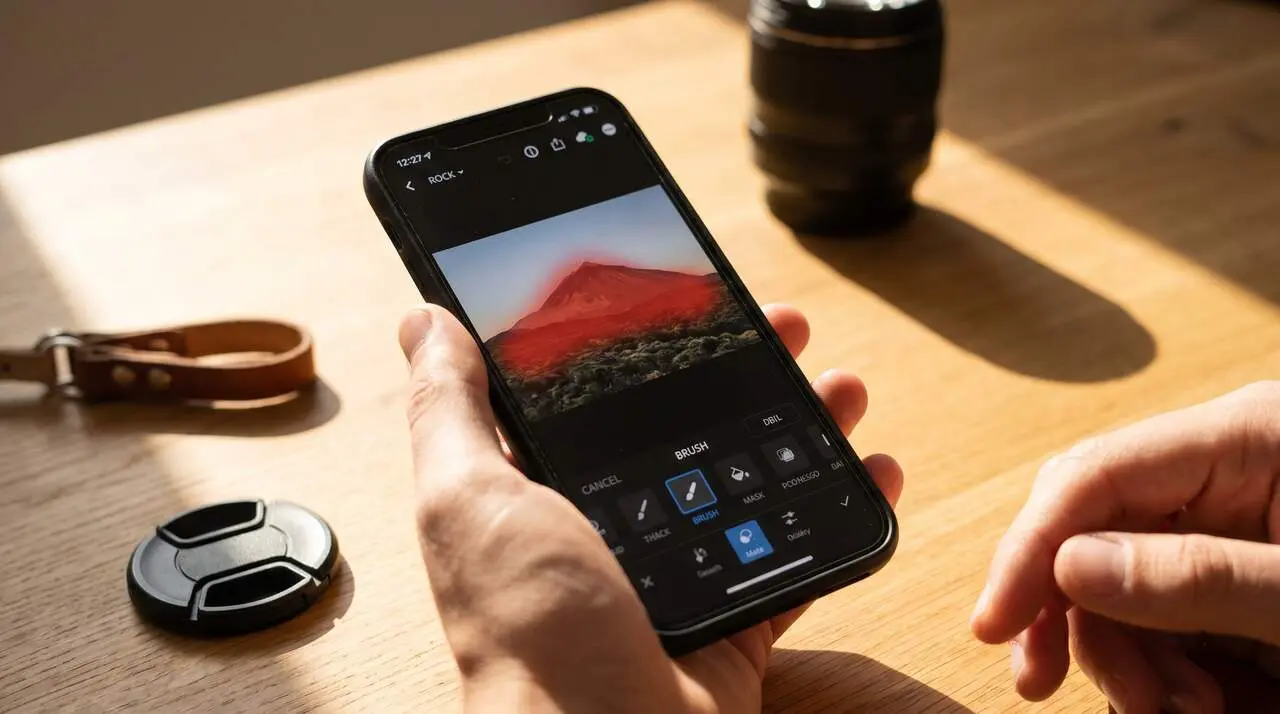
The automatic mask is one of the stars of this version. It detects key areas like the sky, the main subject, or complex details such as hair and foliage. This allows applying local adjustments with a precision that previously required a lot of time and manual skill.
Thanks to this tool, editing becomes more accessible and less tedious, all while maintaining a professional finish.
Natural retouching in portraits and photographic simulation
The improved algorithms treat skin and facial features in a much more natural way. Relighting maintains textures and volumes, avoiding the artificial look that bothers many users.
Additionally, the new film simulation tool offers a grain and color response that come close to traditional chemical photography, opening doors to an editing style with a more artistic and authentic touch.
| Tool | Highlighted feature |
|---|---|
| Smart masks | Automatic detection of areas for local adjustments |
| Non-destructive editing | Editable and modifiable history |
| HSL Color Panel | Precise adjustment of hue, saturation, and luminance |
| Film simulation | Realistic finish with traditional chemical look |
| Batch editing | Application of consistent adjustments to multiple photos |